Bokningsprogram.fi · Creamarketing

Web-based booking software

Our easy-to-use, adaptable and web-based software for appointment booking, facility booking and course booking provides straightforward management of bookings, services, customer records and more. The products can be combined for a more comprehensive solution.

Booking software

Products

Our easy-to-use solutions let you manage different bookings in a modern, clear way. As our booking systems run online, you can access your customised booking software wherever and whenever you need it. All you need is an internet connection.

Appointment booking

Booking appointments by phone can be time-consuming and inconvenient for both you and your customers. To make your daily work easier, we have developed a booking system that can be adapted to your needs and those of your customers.

Read more about appointments

Facility booking

Do you need an easy-to-use tool for booking facilities? Would you like to make sports halls, conference rooms, school facilities, football pitches and other spaces easier to book? Our facility booking software helps you keep track of all your resources.

Read more about facilities

Course booking

Our course booking software lets you manage courses, participants and staff in one place. Participants can easily reserve places, manage their courses, view their timetable and contact teachers and staff.

Read more about courses

Appointment booking

Would you like to concentrate on your work without being constantly interrupted by a ringing phone? Our appointment booking system makes it easy to keep an overview of your bookings, while your customers can book a suitable available time at any hour of the day.

Our appointment software is web-based, which means you can access it from anywhere. It can also be synchronised with your Google Calendar and phone. To help customers remember their bookings, they receive a confirmation by email. A reminder can also be sent shortly before the appointment. Customers can sign in and follow their current and past bookings online. Our appointment software provides a working booking system and an easy-to-manage customer register.

This software is suitable for hairdressers, therapists, massage therapists, makeup artists, stylists, advisers, coaches and other professions and services that require appointment booking.

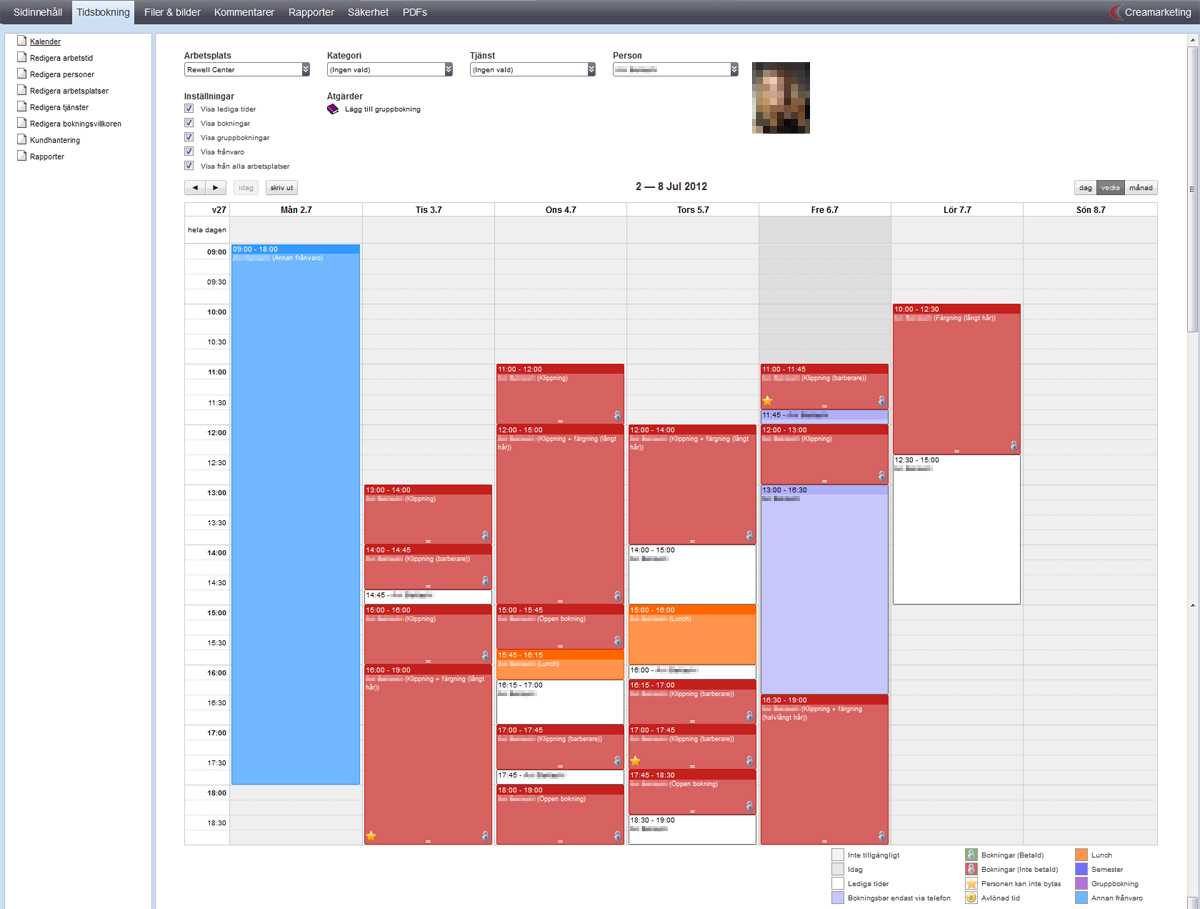
Example of an appointment booking calendar
An example from the booking software. Open the image for the full view.
Examples of appointment booking features
  • No installationWork directly in your browser with an internet connection. The web-based solution can be used on Windows, Mac and Linux.
  • Website integrationThe booking software can be integrated directly into your website and matched to its design so customers can easily find your online appointment booking.
  • Customer registerUse the customer register to manage customer details, add new customers and send emails to a larger group.
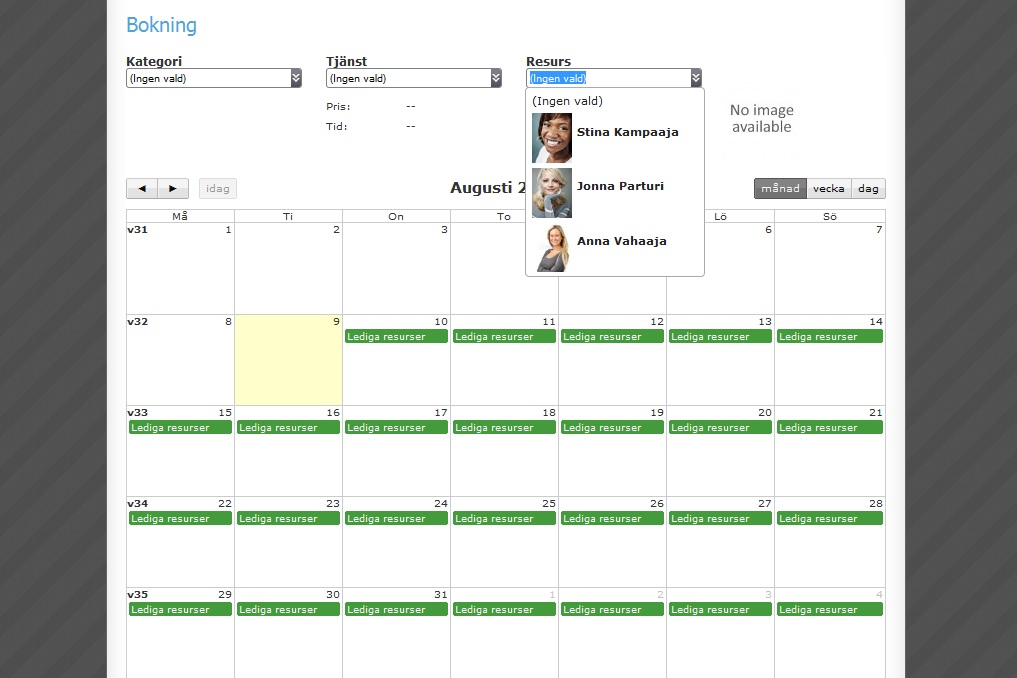
  • Staff managementStaff can easily be added to the software with information and a photo, and assigned to particular services or locations. You can have multiple locations, such as Salon A and Salon B, with separate information for each. Recording employees' working hours also lets you report on their total hours and completed services. Access rights to different parts of the software can be set by group.
  • CalendarAdd available slots, make bookings, move bookings or change resources in the calendar. You can also make group bookings for several staff members, such as a training session. The calendar can be synchronised with Google Calendar for access on a mobile phone.
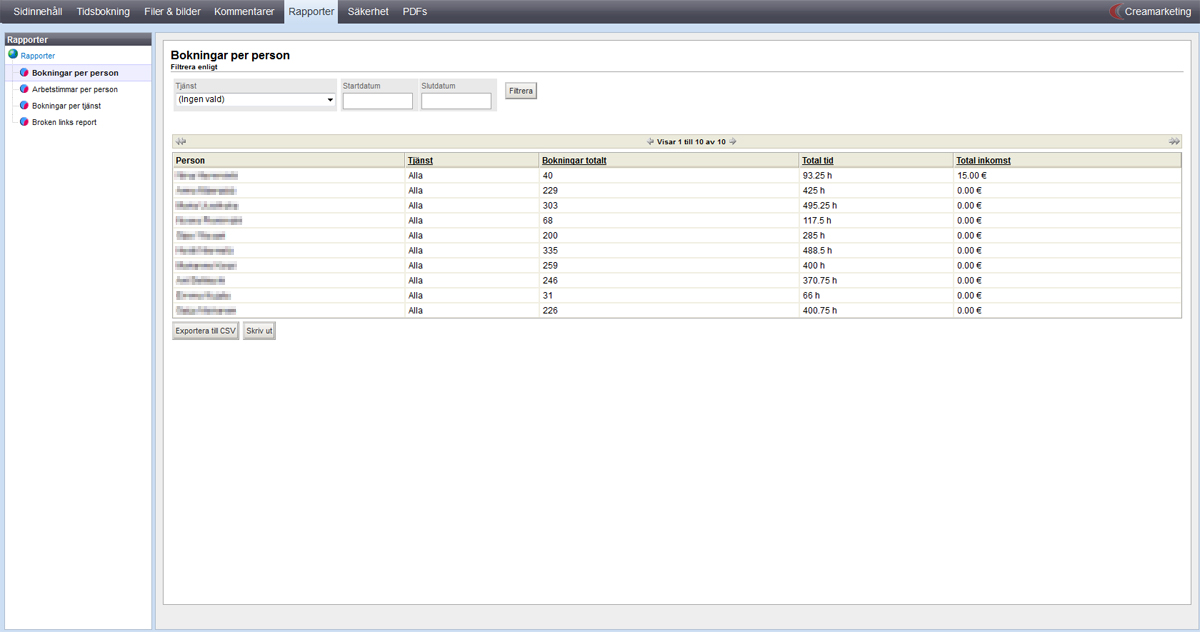
  • ReportsReport on staff working hours, total hours and completed services, and bookings per employee or service. Manage how staff time is allocated across services.
  • LanguagesThe booking system can be used in Swedish, Finnish and English.
  • Online bookingsOur booking software lets customers book available times at any hour of the day. Bookings are made through an easy-to-use calendar view that gives a quick overview of available times.
  • Customers manage their own bookingsWith an account, customers can sign in, see their booking history, and reschedule or cancel upcoming appointments.
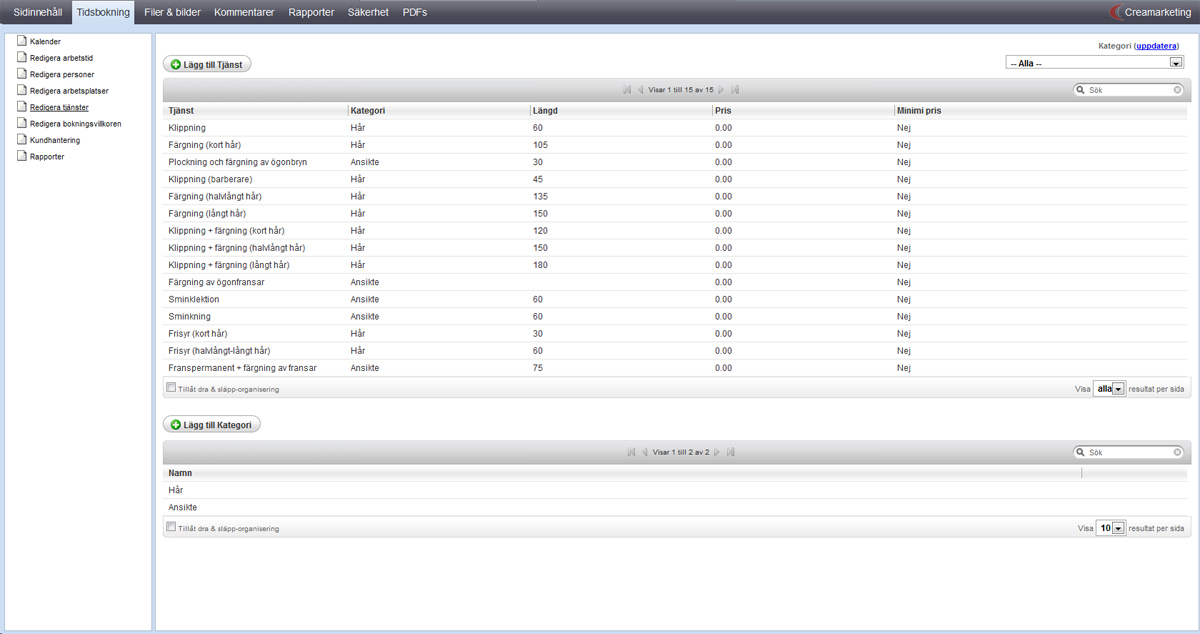
  • Services, categories and durationsGroup haircuts, colouring and fringe trims under hair, or makeup, eyebrows and eyelashes under face treatments. Set service durations in 15-minute increments and assign each service to the staff who provide it.
  • Confirmations, reminders and SMSCustomers receive booking information by email. Reminders can be sent before the appointment. A third-party SMS service can also be connected to the booking product.
  • SupportWe help by phone and email on weekdays, 08:00–16:00, in Swedish, Finnish and English.

Facility booking

Our web-based facility booking software is a practical, easy-to-use tool for managing and keeping track of spaces and facilities. Municipalities and cities can use it to manage bookings and booking requests for schools, halls, sports facilities, conference rooms and more.

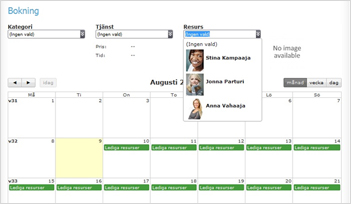
The built-in calendar shows booked and available times for resources, giving you an overview of your chosen period. Pricing, subsidies and other additional information are also available.

When booking a particular space, you specify the time and date, organisation or group, and booking type. Bookings can be for a single occasion or recurring sessions, suitable for courses and leisure activities. The software also includes extensive user-group management. Choose a group type, such as a school, business or association, and add subgroups such as year groups or junior football teams. Contact people and billing addresses can be assigned to groups and subgroups.

Our software suits municipalities, cities and other organisations that need a system to administer their spaces, sports halls, football pitches and other resources.

Example of a facility booking calendar
Facility booking brings resources and times into a single view.
Examples of facility booking features
  • Web-based, no installationAll you need is an internet connection and a web browser.
  • Resource managementKeep availability, pricing, subsidies and additional details together for each resource.
  • Grouping and categorisationOrganise resources into organisations and groups. Divide a grass pitch into two halves, for example, or a school's computer classrooms into separate rooms.
  • Bookings and requestsManage both single and recurring bookings and booking requests.
  • Public calendarChoose to display a public calendar so visitors can see available times.
  • Invoicing and reportsGenerate invoicing data and booking reports.
  • Three languagesUse the software in Swedish, Finnish and English.
  • Services and extrasAttach additional services, such as coffee catering, to a particular resource. The kitchen can receive separate reports of ordered services.
  • User groups and permissionsManage and oversee user groups with appropriate permissions and access.
  • Customer records and subgroupsStore names, contact details and billing addresses for associations and other customers. Organise customers into organisations, groups and subgroups.
  • SearchFind information using the software's search function.
  • Intra-TVDisplay information on an intra-TV presentation page.

Course booking

If you would like to manage courses, participants and staff easily in one place, our course booking software is for you. It also lets participants reserve places, manage their courses, view their timetable and contact teachers and staff in a straightforward, accessible way.

A search function helps participants find courses that interest them. They can search by course language, subject group, location and day of the week. If they already know the course name or code, a quick search takes them directly to the right course.

Under “My courses”, participants can confirm pending registrations, see their courses and timetable, and manage their contact details. Participants can also send messages to teachers and staff and receive messages, for example from teachers. They can forward messages to a current email address.

Teachers see the same page when they sign in, with an extra tab showing the courses they teach. They also have an overview of their timetable with current courses and can send and receive messages.

This software is suitable for adult education providers, civic institutes and other educational institutions.

Example of a course list and course details
Course management, participants and teaching in the same software.
Examples of course booking features
  • No installationOpen the software in a browser with an internet connection.
  • Administrators and access rightsControl access to different parts of the software through groups such as main administrators, teachers and participants.
  • Teacher records and salary gradesStore teachers' names, personal identity codes, addresses, areas of expertise, hour types and salary grades. Add each salary grade's name, effective date, pay and comments separately.
  • Invoicing data and AbilitaGenerate invoicing data and export information in a format that can be used in Abilita's software.
  • Reports and employment contractsCreate teacher-hour reports and salary, course, participant, teacher, invoice and statistics reports. Employment contracts can also be created.
  • Swedish, Finnish and EnglishThe course booking software can be used in all three languages.
  • Course managementList and sort courses by period, such as spring or autumn, and status: active, inactive or draft. Search by course code, name or subject. Enter names, codes, subjects, minimum and maximum participant numbers, fees and descriptions. Choose locations and times, assign teachers and view a summary of all course details.
  • Participants, registrations and waiting listsParticipants register when enrolling. Searchable records can include name, personal identity code, address, email, phone and education level. See each person's enrolled, waitlisted, completed and cancelled courses. Track registration statuses: registered, waitlisted, rejected, cancelled or completed.
Booking software

Features

We adapt the booking software to your needs and wishes and integrate the design with your website. The software can be used in Swedish, Finnish and English. Our three types of booking system can also be combined for a more comprehensive solution that fits your particular use.

  • Adaptable solutions

    We can customise our booking software entirely to your wishes. If a feature is missing, we are happy to develop it.

  • Multilingual software

    Our software can be used in Swedish, Finnish and English.

  • Clear calendars

    Work with an internal calendar and show a public booking calendar when needed.

  • Google Calendar synchronisation

    You can synchronise bookings to your phone through Google Calendar.

  • Integration options

    Our software can be integrated with your business system and website.

  • No installation

    Web-based software for working in a browser on Windows, Mac and Linux.

  • User-friendly software

    Our booking software lets you efficiently manage courses, teachers, participants, employees, facilities, available times and more.

  • Access levels

    Access can be restricted by user group, such as administrators, employees and customers.

  • Reports

    Our booking software can provide a variety of reports and statistics.

  • Support

    We are happy to help with your questions by phone or email. We provide service in Swedish, Finnish and English.

Appointment booking

Screenshots

Select an image below to open the full view.

Customer story

Korsholm municipality

Select the link to open or download the PDF file.

Korsholm municipality customer story

We wanted a working booking system that could be used by all facilities. Creamarketing provided the best offer.

Korsholm municipality · translated from the Swedish customer story
Would you like to know more?

Contact us

Would you like more information about our booking software? Please contact us. We at Creamarketing are happy to answer your questions!

Request a free demonstration of our booking software. We will contact you and arrange a suitable time.

Call us

+358 30 410 8690

Customer service on weekdays, 08:00–16:00.
We speak Swedish, Finnish and English.